
Optimizing Your Coworking Experience for Posture and Spinal Health
If you’re a remote professional, freelancer, or team member who spends hours a week in coworking spaces and you’re tired of neck stiffness, lower back flare-ups, or the vague dread of “another bad day” at your desk, this guide is for you. I know how frustrating it is to adjust to different chairs, noisy neighbors, and odd desk heights — and our team helps by turning those unpredictable setups into reliable, ergonomic workstations you can use anywhere (we’ll show you what to ask for, what to bring, and simple fixes that actually work).
Why coworking posture matters for spinal health
Bad posture in shared workspaces isn’t just uncomfortable. Over weeks and months it can change how your spine loads, causing disc pressure, facet joint irritation, and muscle imbalance. I’ve noticed coworkers shrugging their shoulders, craning their necks, and blaming caffeine — but the truth is the desk setup is usually the real culprit.
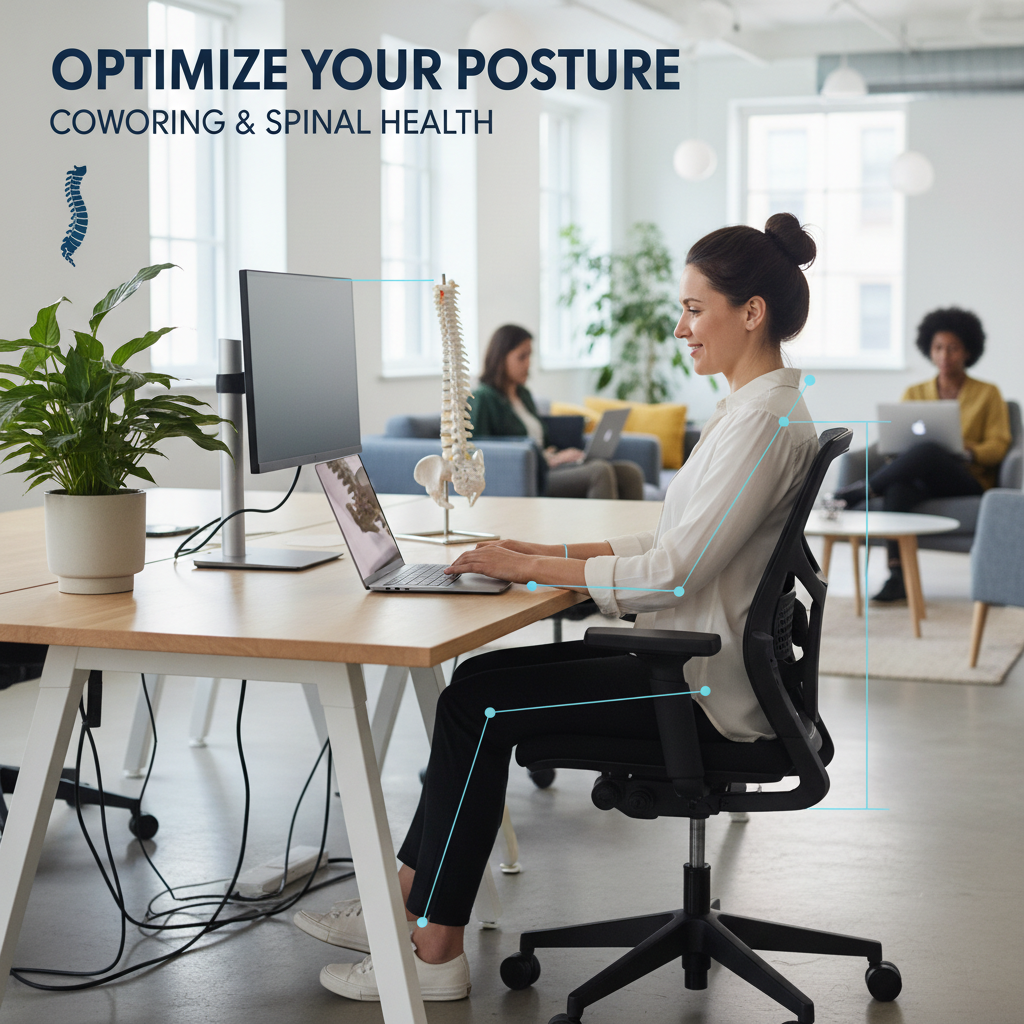
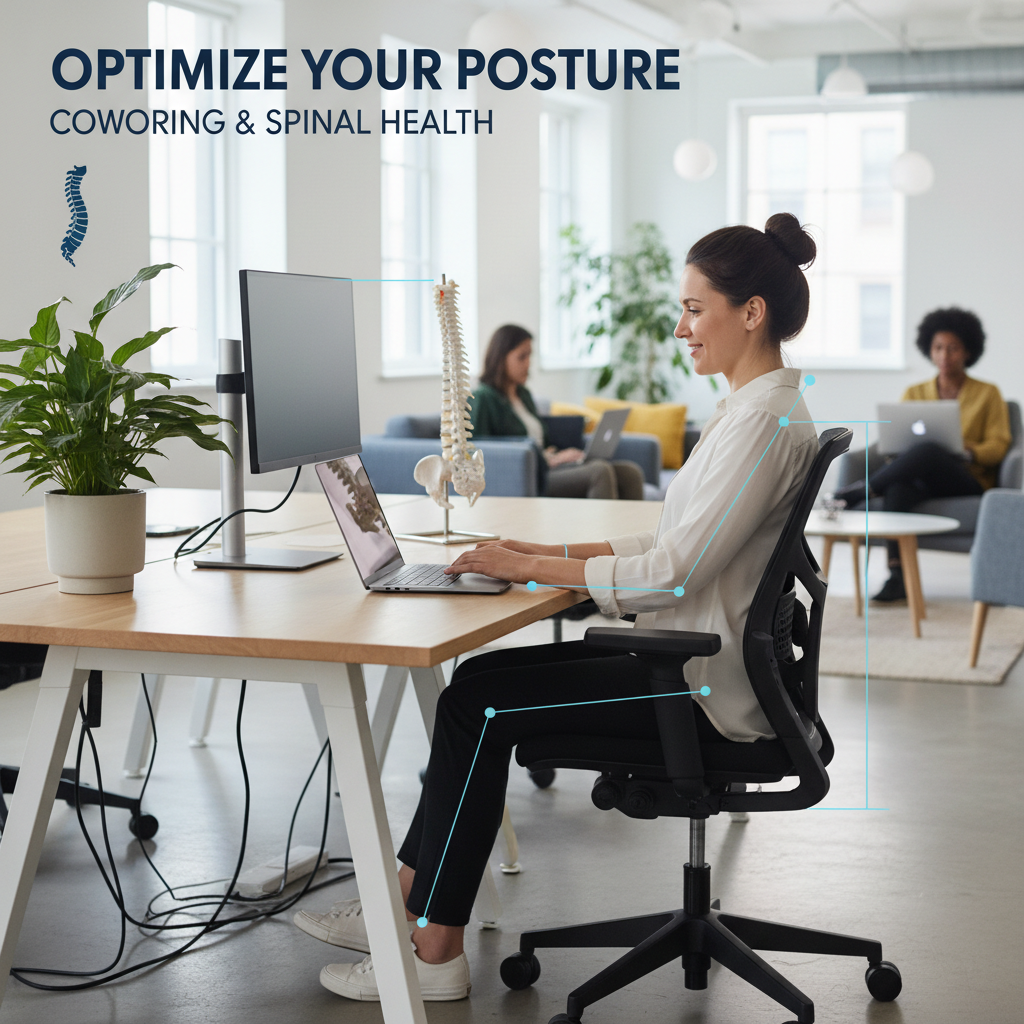
Good posture reduces load on spinal structures, improves breathing, and helps you focus longer. So yes, small changes equal big payoff. Think of it this way – 90-degree joint positions, neutral spine, and aligned vision are the difference between a productive day and a painful week.
How to adjust your desk setup for better posture
Want the shortest path to better coworking posture? Start with your desk setup. Here are immediate, actionable steps you can do in 10 minutes.
Monitor height and distance
Place the top of the screen at or slightly below eye level so you look slightly downward, not up. Sit about an arm’s length away (roughly 20 to 30 inches). If you’re using a laptop, use a laptop stand or a stack of books plus an external keyboard.
Chair height and lumbar support
Adjust the chair so your feet are flat and knees are about at hip level (roughly 90 degrees). If the chair has no lumbar support, slip a small cushion or a rolled towel behind your lower back. This restores the natural curve and prevents slouching.
Keyboard and mouse placement
Keep the keyboard and mouse close so your elbows stay near your sides. Wrists should be straight, not bent up. Move the keyboard forward on the desk so the forearms are supported and shoulders relax (this cuts shoulder and neck strain).
Foot support and posture cues
If your feet dangle, use a bag, box, or a small footrest. Sit with a soft S-curve in your lower back (not flat, not hyperarched). A subtle visual cue helps — short sticky note that says “shoulders down” or “chin tucked” works better than you’d expect.
Quick routines to prevent back pain while working
Desks aren’t static, your body shouldn’t be either. Movement prevents stiffness and helps maintain spinal health.
Micro-breaks and movement
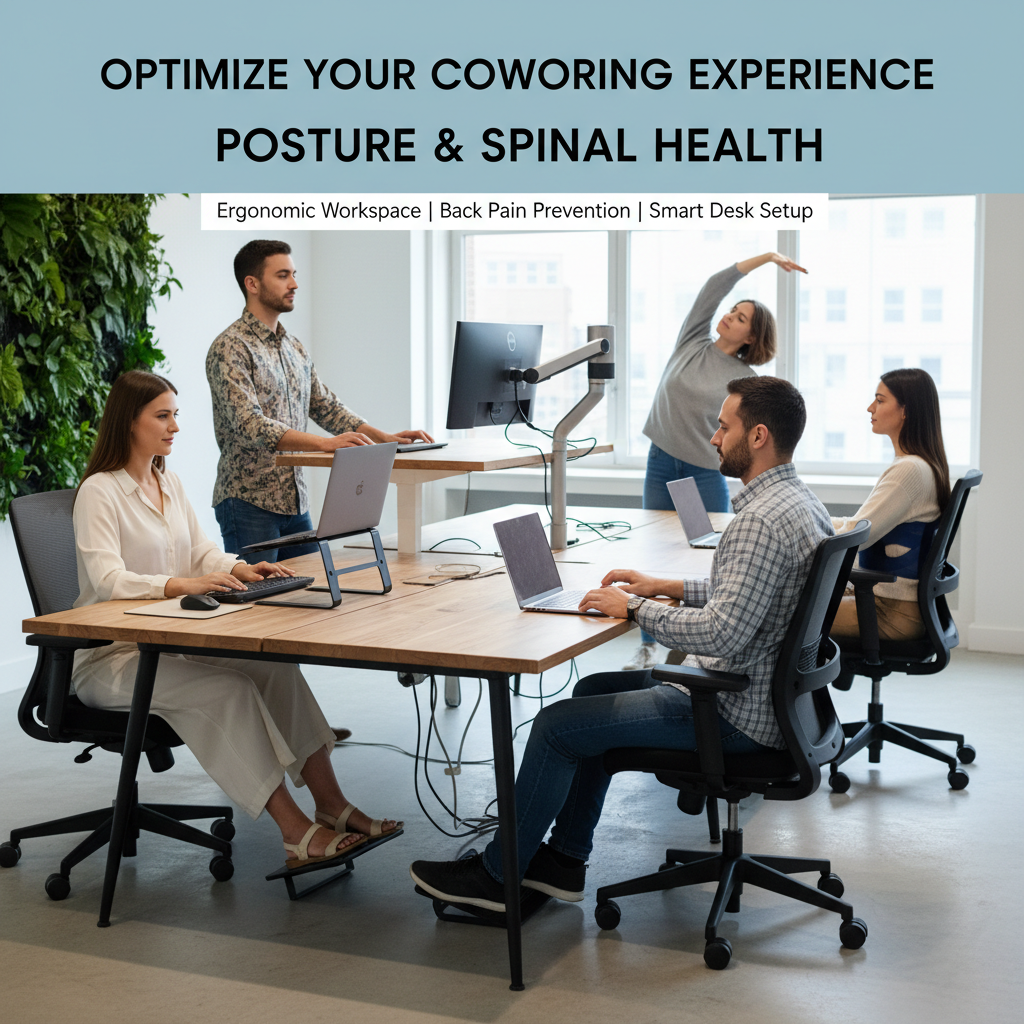
Every 30 minutes stand or walk for 60 to 90 seconds. Do this even if you feel fine. From what I’ve seen, people who move every half hour have fewer flare-ups than those who sit for long stretches.
Two-minute stretch sequence
Do this at your desk: 10 shoulder rolls (forward and back), 10 neck tilts each side, 10 seated hip marches (lift each knee gently), and 20 seconds of seated thoracic extension (hands behind head, open chest). Repeat every 2 hours and you’ll notice less tension.
Strength habits that matter
Build 3 quick exercises into your week: 2 sets of 12 glute bridges, 2 sets of 10 rows with a resistance band, and 2 sets of 10 bird-dogs. These support spinal alignment and reduce the likelihood of recurrent back pain.
Ergonomic accessories worth carrying to a coworking space
You don’t need a toolbox. Pack smart and you’ll transform any shared desk into an ergonomic workspace quickly.
Bring a portable laptop stand, a compact external keyboard, a small lumbar roll, and a foldable mouse. A lightweight seat cushion (about 2 inches thick) can rescue an awful chair. I keep a microfiber towel too — great for padding or as a neck roll in a pinch.
Also consider noise-cancelling earbuds (helps you keep a relaxed neck) and a reusable water bottle because hydration and posture interact more than you’d think.
How to handle ergonomics in shared or unpredictable spaces
You’re not asking for a throne. You just need a setup that supports your spine. Ask the coworking staff for an adjustable chair (say, “I need a chair with lumbar support”), request a monitor riser, or book a desk with standing options. Most operators are used to these requests and will help.
When desks are fixed, improvise: stack items to raise the monitor, place the keyboard on your lap for better elbow angles, or stand on a closed book to get the right height (works surprisingly well).
Behavioral tweaks that make ergonomic setups stick
New setups fail when you forget them. Create triggers: set a 30-minute movement alarm, add a “posture check” in your calendar at midday, or pair a stretch routine with coffee breaks. The habit sticks when it’s easy and tied to something you already do.
When to get professional help for spinal health
If you have sharp pain, numbness, tingling down an arm or leg, or pain that doesn’t ease after a few days of movement and better setup, see a clinician. A physical therapist can give a targeted plan and show you exercises that speed recovery. I’ve seen people avoid weeks of trouble by getting a 30-minute consult early.
Frequently Asked Questions
How do I maintain good coworking posture without carrying a lot of gear? Start with simple cues: monitor height at eye level, feet flat, and keyboard close. Use a towel for lumbar support and take micro-breaks every 30 minutes. Those three moves reduce most strain.
Can a standing desk prevent back pain? Standing helps if you alternate with sitting. Stand for 15 to 30 minutes every hour rather than standing all day. Mixing positions lowers spinal load and reduces fatigue.
What’s the best way to set up a laptop-only workstation? Raise the screen so the top is at eye level and use an external keyboard and mouse. If you only have the laptop, tilt it up and use a separate keyboard on your lap or the desk positioned to keep elbows at the sides.
Are ergonomic chairs necessary in coworking spaces? Not always. A well-set chair helps, but portable lumbar support, seat cushions, and posture habits often make the biggest difference in shared environments.
How quickly will I see improvements in spinal health? Many people notice less stiffness within a few days of better desk setup and movement. For chronic issues, expect 4 to 6 weeks of consistent ergonomic adjustments and exercises to see meaningful changes.
If this feels like a lot, that’s normal. Our team can help audit your regular coworking spots, create a one-page setup checklist you can carry, or even train your staff (or yourself) on quick posture checks—so you stop trading productivity for pain.